DesktopX 4 and DesktopX 4 Pro Beta Updates
We have released an update for both DesktopX 4 and DesktopX 4 Pro. These updates are only bug fixes for DesktopX.
You can download the betas (v3.96) via the Stardock store only.
We have released an update for both DesktopX 4 and DesktopX 4 Pro. These updates are only bug fixes for DesktopX.
You can download the betas (v3.96) via the Stardock store only.
Phoon, just a sugg, have you tried clearing your cache, running CCleaner, log out, back in?
What browser are you using?
I know it shouldn't matter, but if 3.96 is there for me, it should be there for you.
No difference RND, it still downloads the 4.x version.
Just curious, does 3.96 actually work?
Hm, FF - 4.0 / IE9 - 4.0 / Chrome : 3.5. Cleared the Cache beforehand. Strange.
Note: Never have/had such problems getting fresh versions from other vendors, so I think there may be a glitch in the store somewhere. I have sent the links Your way, Zubaz.
Only way I can get 3.5 is by Impulse.
I wish I had a 3.5 Pro I could stash away.
I can't get Impulse archives to work.
Is that 3.5 Pro Carl? If so, I might have to install Chrome and try.
Dooh. Installed Chrome on the office PC, downloaded, tried setup - 4.00.017
Very, very strange.
Thanks for the links Carl.
I've tried IE9 and Chrome. All downloads are the 4.00.017 regardless of what pc I use to try.
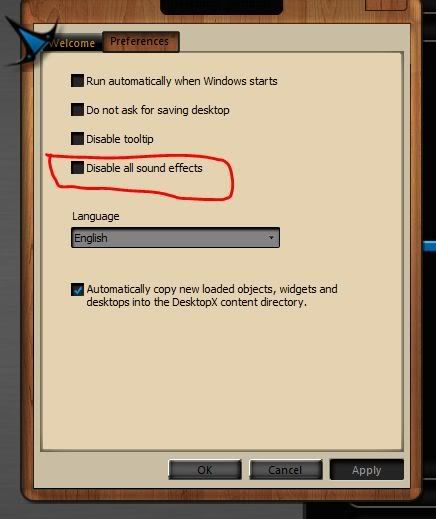
I wonder, while we're at this, can we fix it so the setting to start with windows works?
RND, are you sure we are talking about DXPro? The link for DX says 3.96, the link for pro SAYS 3.5 but as we all know, that info is not correct at all.
I mean the beta, Phoon, for DX Pro.

So ? Will there be a fix at least for the download any time soon ?
wow, this just gets better and better....
I have 3.5 Pro installed via Impulse on my laptop. Trying to uninstall it. Seems that I have to have Impulse installed just to uninstall the old version. A complete and utter load of #$%^.
This must be something new and stupid that gamestop has done. It never used to be like that.
now the brighter side.
The beta (3.96) seems to work ok on Win7 x64 Ultimate. I loaded up an object I created in 3.5 and at least the script editor opens with this version. It did not do so with the 4.00.017 version
The uninstallers for applications installed via Impulse have always required Impulse to uninstall. Thats because Impulse is the installer and uninstaller and so without that there is no code to perform the uninstall.
not
updated build and then restoring the updated version thats the only way it worked for me the last time
Neil, I've uninstalled apps before via add remove programs in control panel, but...... honestly, this may have been the first time I've done it after I removed Impulse.
( Phoon salts foot, inserts in mouth for 100,000,000 th time....)
There is always Your Uninstaller Pro, or Revo Uninstaller. These will uninstall anything and take the registry entries with it.
Roloccolor, Gamestop has borked the Impulse Archive system and they no longer work. At least, that's what I think Zubaz said.
I tried to install one and got a dialog telling me to go to Impulsedriven.com and unlock it. IE can't load the page.
Makes no sense to me since it's supposed to be an offline install.
BUMP
Can we get this returned to the new version of DX? Please....

Does anybody know where I can get 3.96? I've got 4 but don't have a key, and as has been discussed, 3.5 is really borked up. I need 3.96 Pro.
You have a key for 3.96? It should work for 4.
Welcome Guest! Please take the time to register with us.