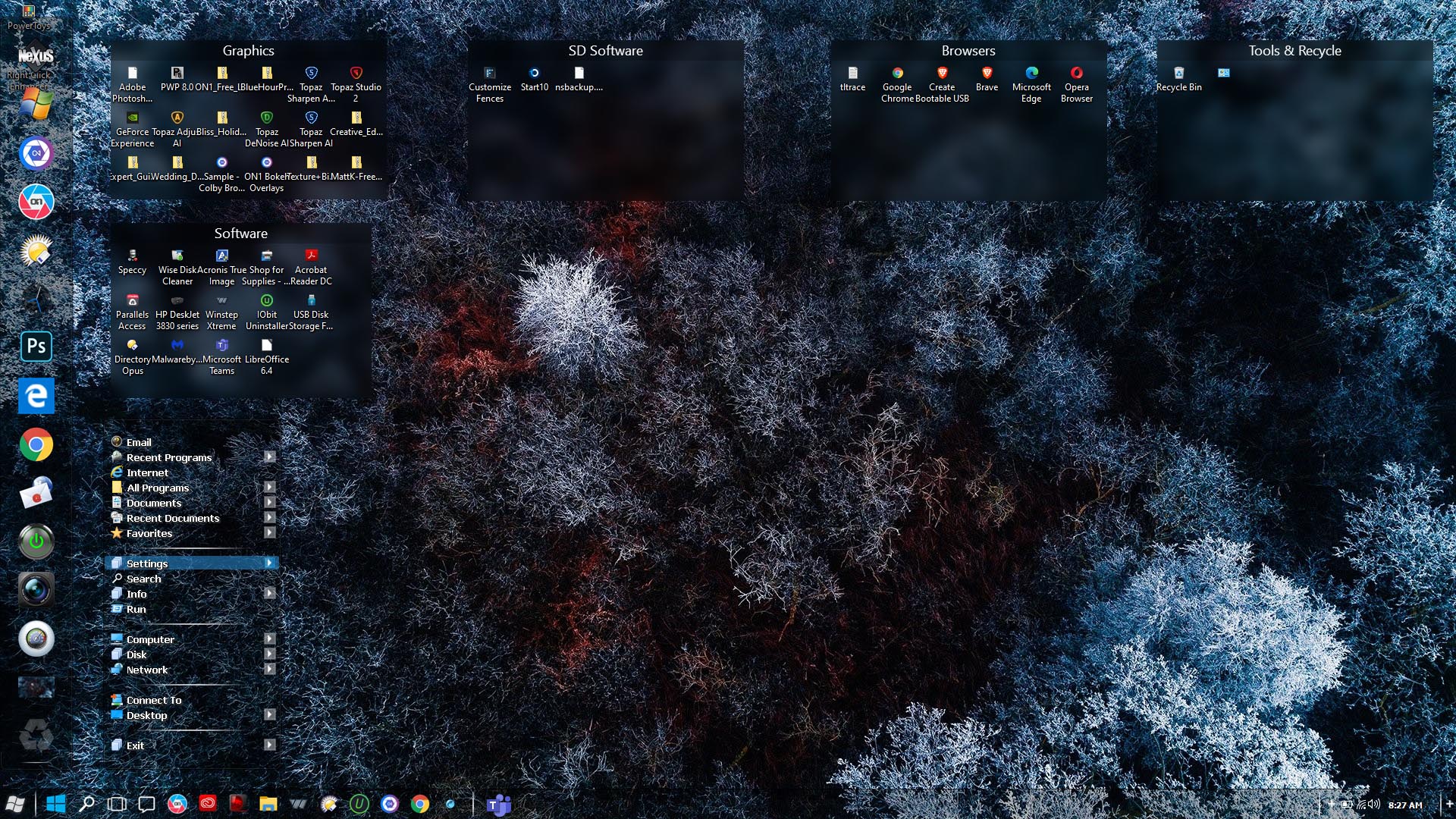
March 2020 Desktop Screenshots

Hey! March already!

Post 'em if you have them!

Looking forward to the great desktops and new skins!

319,834 views 108 replies
Reply #1 Top

Still playing around with Rainmeter but have changed to another skin, although it aint new per see ! ;)  

Skin is made by Vampothika and is called Defunkt Squad, which I have played around with some to suit me a bit better. :blush:   Also changed the Rainmeter skins to be able to easier changed the docks around to match whatever skin I'm using.

Reply #2 Top

SwedishTom that's looking pretty good there! I like what you're doing. :D  

+1 Loading…
Reply #3 Top

Quoting Chasbo, reply 2

SwedishTom that's looking pretty good there! I like what you're doing. :D  

Thank you !  I did forget to mention that the Weather, Top RAM Meter, Twitch and Network Meter is not my work though, just the ones in between. 

Just find out recently that one can make a common settings file to get lesser work so now going through them and next time if I have to change anything that they all have in common, like the border colour around the docks, I can do that from one file, instead of going into each and one. (Probably something everyone here already know though ! :D )

Reply #4 Top

+2 Loading…
Reply #5 Top

Yrgal, that's pretty cool! :meow:  

Reply #6 Top

Quoting Chasbo, reply 5

Yrgal, that's pretty cool! .
Thanks! Got inspired by the latest record cover from Canadian band Harem Scarem.

Reply #7 Top

Hm, i do not see how to upload an image in this Forum? :(

However, as i made Screenie, i'm gonna share it with you.

( http://207.180.250.172/Paul/Screenshot_20200306.2240.PNG )

My intention should be obvious - Mojave/Catalina Theme.


Btw. - does any one have a clue on how to be able to change the Microsoft "Modern UI" Applications? As i have to use Office + VisualStudio + Teams + Webstorm + Chrome, it is really annoying to have this DesignBreakers running.

Reply #9 Top

And that's a 10 ++++ Curtis :thumbsup:  

+1 Loading…
Reply #10 Top

Curtis that's fine fine shootin'! :star:  :star:  :star:  :star:  :star:  

Reply #12 Top

Quoting AzDude, reply 9

And that's a 10 ++++ Curtis

Thanks Mike! You already know how much I love playing with glass!:grin:   

Quoting Chasbo, reply 10

Curtis that's fine fine shootin'!

Thanks for fixin' the Rainy in this shot C-Bo!

Quoting Chasbo, reply 11

Some Simply Dark goodness

Sheer perfection Brother!

5* +5*  

Reply #13 Top

Keep an eye out for Corellian, a new Master Skin of mine releasing tomorrow. Here's a preview: :-)

Reply #17 Top

Quoting LightStar, reply 13

Keep an eye out for Corellian

Nice and my eye is out ! :grin:  

Quoting Mindy43, reply 15

Tidal with Artemis (recolored)

Great job! Love the coloring! :thumbsup:  

Reply #18 Top

Coming soon to a desktop near you: Jungle 

Reply #19 Top

Superb Don! Watch out for that snake! :-)

Reply #20 Top

Quoting LightStar, reply 19

Superb Don! Watch out for that snake! :)

Thanks Tom. |-)  

Reply #21 Top

Quoting mennowar, reply 7

Hm, i do not see how to upload an image in this Forum?
Depends on your rank, or is it subscription?


Anyway, you click the image I have circled.  If your rank/subscribe level isn't high enough, there'll be a small button, looks a bit like a tree, if I recall correctly. Click it and input a URL where you have image hosting. Examples are photobucket, imgur, etc.

Reply #22 Top


Clicking on the arrow on the right of the "+" enables a menu available for everyone, I think, to upload images ++

Reply #23 Top

Ah, didn't know that, Yrgal. Amazing what can go unseen right before your eyes.  But uploading an image directly , without a hosting site requires a certain rank, I do believe. I have been wrong before. Sometime.


Way back.


A long time ago.


I think, I could be wrong....

Reply #24 Top

You're right. Kind of.:grin:  

It does require a certain rank of 1 or higher. And rumour has it that there is such a thing as rank 0, which means you're exiled, I suppose,  and can't do diddly squat on here. Curtis is rank 1 and can post screenshots directly on site, as far as I can see.

Reply #25 Top

Quoting Yrgal, reply 24

You're right. Kind of.:grin:  

It does require a certain rank of 1 or higher. And rumour has it that there is such a thing as rank 0, which means you're exiled, I suppose,  and can't do diddly squat on here. Curtis is rank 1 and can post screenshots directly on site, as far as I can see.

Yrgal, an exiled, or banned user has the access level -1. Visitors have the level 0. Subscribers have a level of +1, or greater. 


Explanation of Access Levels

Note: Users at higher levels have all the benefits and privileges of the levels below them.

Exiled (-1)
This is a user who has been blocked from using the site.  They can not post on the forums, leave comments on skins, vote in polls or download any content from the site.  They are essentially banned.  Users are exiled for violation of site Terms of Service, for spamming, or for causing significant damage to the community.

Visitor (0)
Visitors are usually anonymous users.  These are people who have not logged in.  They can download skins, but have a very low download quota (25mb).  They can not comment on skins or post to the forums.  A user can be placed at visitor level as an administrative action to block abusive comments or spamming.  This punishment renders them unable to participate in discussions, but they can still use the site.

Citizen (1)
This is the default level for all registered users.  A citizen can submit skins, download skins (500mb limit), post comments in the forums and on skins etc.  They can also create a personal site and modify their own site/account settings.

Apprentice (2)
A citizen who has submitted skins can be nominated to be promoted to an Apprentice.  These are members of the community who have contributed to the skinning community and who make the site better with their presence.  Apprentice level and higher can rate skins.

Master Apprentice (3)
Essentially one more step up.  They've continued, as an apprentice, to make a meaningful contribution to WinCustomize through their skins, articles or forum posts.  This is the last step before Journeyman.

Journeyman (4)
Essentially, journeyman users are super-citizens who have been with WinCustomize and skinning for quite a while.  They're both very talented skinners and a very positive element in the community.  To become a journeyman you have to be among the top contributors to the site and be in good standing.  Because journeymen are such elite skinners, their skins are automatically accepted onto the site without passing through moderation.

Master (5)
Masters are the true elders of the community.  People who have been around for ages.  To be a Master, not only must the user be a significant contributor to the community, but be a key figure in the ongoing health and growth of the community.  A Master must think of WinCustomize as their primary home in the skinning world.  Masters, in addition to being able to bypass moderation, can also sell their skins directly to users through WinCustomize.

Moderator/Wizop (6)
Volunteers who help run WinCustomize on a day-to-day basis.  They assist with skin and forum moderation.  They also help users who have questions and in general act as custodians of the site.  Wizops ensure the smooth operation of WinCustomize.

Super Wizop (7)
A core group of moderators who have been around the site for a very long time.  They have wide-spread administrative powers to help keep everything running smoothly, and to intervene in problems before they get out of hand.

Avatar (8/9)
Site overlords.  Users at 8 or 9 are almost exclusively Stardock/WinCustomize employees who have oversight responsibilities."